The Squirrel Hill Friends have been selling special books online for several years. You can see them at www.amazon.com/shops/sqhill.
Unfortunately, you cannot buy them at this time, because there are not enough volunteers to pack up books.
.
Volunteers can schedule a time and day that is convenient for them. A packing session usually takes less than an hour.
Stop in at the Friends workroom (next to the restrooms) and find out more from Pat. If the workroom is closed, check in with Jody (the branch manager).
What's Up, Friend?
|
 |
|
Our Local AuthorsRead more about Kathleen George.See a list of all the Local Authors we've highlighted in the newsletter. |
||
Appendices/AddendaTo see material we couldn't fit into a newsletter, such as"PAL programs" or "League of Women Voters book club" or "More From Page 4" or THE SIX EARLY LEARNING SKILLS Your Child Needs for School Success click here. |
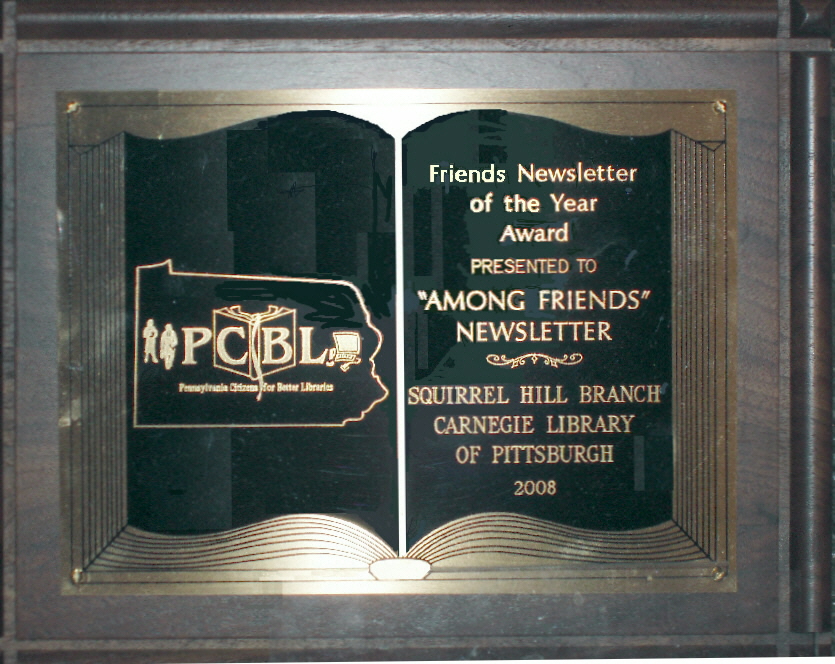
The Friends of the Squirrel Hill Library publish a newsletter at the beginning of each calendar quarter: January, April, July, and October.
|
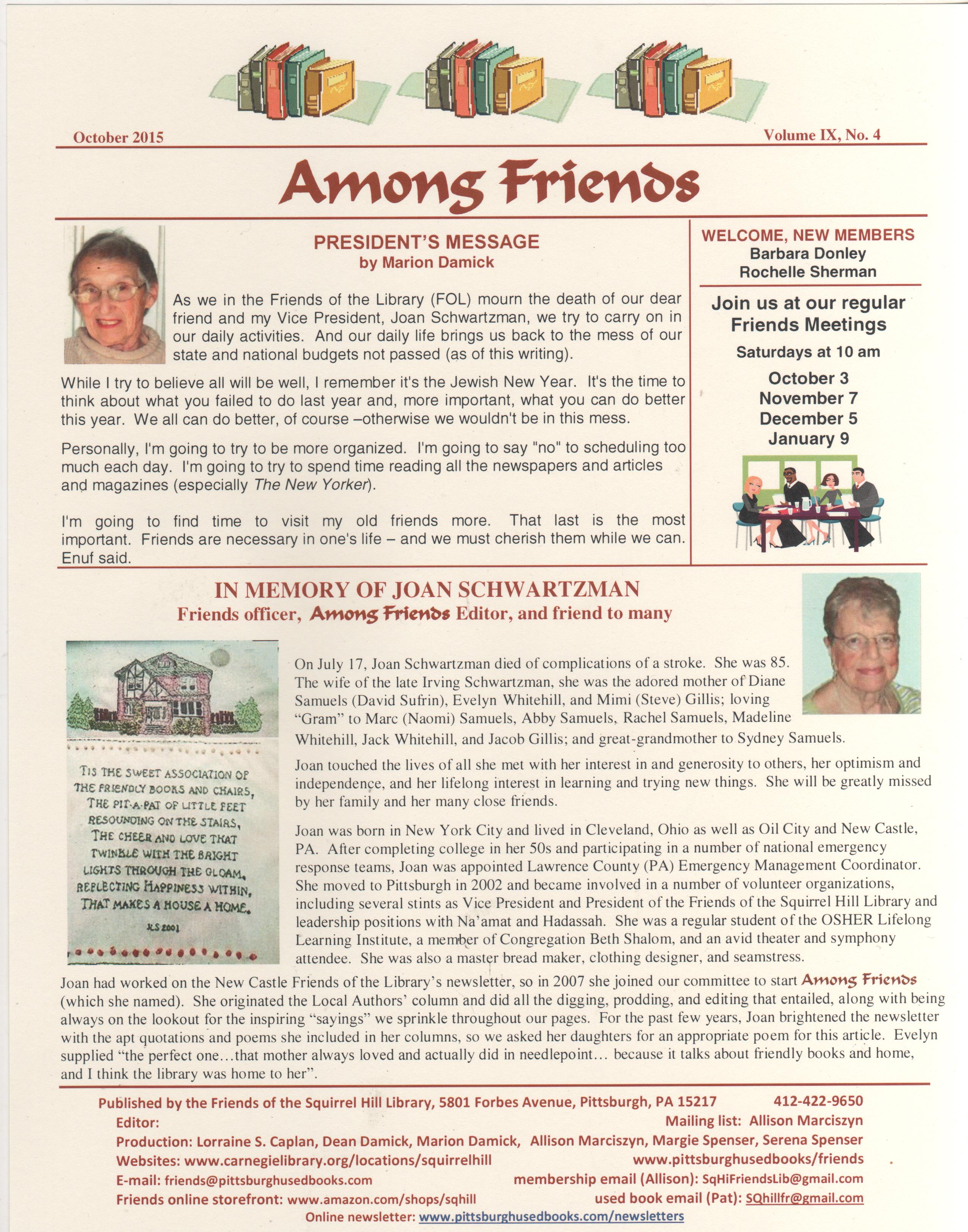
Newsletter October, 2015You can read the current newsletter or printa copy from a Word file or a .pdf file. For old issues, see the bottom of this page. |
After You Read the Newsletter(s) To find information about Pittsburgh book sales look at the Pittsburghusedbooks home page. For more information about the Squirrel Hill Friends group, click on Friends next to the squirrel at the top of the home page. |
||
| THE FORMATS THE NEWSLETTER COMES IN JPG fast read: The downloads of the newsletters are sometimes very slow, probably because there are so many colored pictures. In January, 2012 we added a version for rapid access, made up of pictures of each page. It's called the "JPG fast read" in the list below and in the first yellow box at the top of this page. .pdf: Many of our readers feel that the .pdf version is the easiest to read online. PDF's use a "universal" format so you don't have to have Word or know how to use it. When you click on the pdf link under the picture of the newsletter, you will get a pdf version you can read if you have downloaded the free Adobe software. click on "What does PDF mean?" in the yellow box above to learn more. If you want to save the pdf on your computer, move your cursor around on the page until you see a gray oval near the bottom of the window. It contains several icons. Click on the Adobe icon on the far right -- a highly stylized letter A or triangle -- to see the PDF tool bar. You can also print (printer icon) and do other things -- hover your cursor near or over an icon to see a description of the action. Using the free software, you can read a .pdf file, save it, and print it, but you cannot manipulate the contents as you can with a Word document. (To have editing capabilities you have to buy the entire software package from Adobe.) The free Adobe software also lets you "zoom" to make the print and pictures larger on your screen. Word: The Word version is most flexible, and most PC's come with Microsoft Word software already installed. Word's ".doc" files can be saved to your computer and edited, copied, excerpted, printed, sent with e-mails, or just read. Word has a zoom function that will let you enlarge everything on the page for easier viewing, although it will still print in the original size. A MINOR COMPUTER MYSTERY WHEN YOU CLICK ON "WORD" THE NEWSLETTER MAY APPEAR ON YOUR COMPUTER ALREADY OPEN IN WORD; you can do whatever you like with it and either "Close" it when you are finished, or "Save" it to your computer for future reference. IF CLICKING ON "WORD" OPENS A "SAVE FILE" BOX, HOWEVER, 
with the file name appearing near the bottom as "vol II No 1.doc" or something similar, you will have to save it to your computer and then open it in Word yourself. (You may later go to the folder in which you saved the newsletter and right-click on it to Delete it, if you wish.) When you have saved the Word version in the Save File box, you will be shown the name you saved it under on the lower left corner of this web page: 
In this sample, I saved the Word version of the current newsletter in two different places on my computer. I wanted to use it in the first location so I clicked on the first box (bottom arrow)and a plain white box appeared with three choices(top arrow). I clicked on "Show in Folder" and was taken to the file and opened it in Word to read and edit it. (I later clicked on the second box and when the three choices came up, I clicked on "Clear" -- and the box went away.) It's a lot easier when the newsletter appears on your computer already open in Word. Apparently settings on your computer determine which way it appears to you; if anybody reading this can explain to me why I now always get the "Save As" box, please contact me at margie@pittsburghusedbooks.com. |
Old Newsletters
NOTE: When a formatting error is found in one of the old newsletters it will be repaired.
Examples: A stray line or mark, a missing dividing line, a blank page, a color or font mixup, etc.
No changes to the text will be made except to simple, obvious typos.
All changes will be recorded in our Error Log.
| July, 2015 | Vol IX No 3 | Word | JPG fast read | |
| April, 2015 | Vol IX No 2 | Word | JPG fast read | |
| January, 2015 | Vol IX No 1 | Word | JPG fast read | |
| October, 2014 | Vol VIII No 4 | Word | JPG fast read | |
| July, 2014 | Vol VIII No 3 | Word | JPG fast read | |
| April, 2014 | Vol VIII No 2 | Word | JPG fast read | |
| January, 2014 | Vol VIII No 1 | Word | JPG fast read | |
| October, 2013 | Vol VII No 4 | Word | JPG fast read | |
| July, 2013 | Vol VII No 3 | Word | JPG fast read | |
| April, 2013 | Vol VII No 2 | Word | JPG fast read | |
| January, 2013 | Vol VII No 1 | Word | JPG fast read | |
| October, 2012 | Vol VI No 4 | Word | JPG fast read | |
| July, 2012 | Vol VI No 3 | Word | JPG fast read | |
| April, 2012 | Vol VI No 2 | Word | JPG fast read | |
| January, 2012 | Vol VI No 1 | Word | JPG fast read | |
| October, 2011 | Vol V No 4 | Word | JPG fast read | |
| July, 2011 | Vol V No 3 | Word | JPG fast read | |
| April, 2011 | Vol V No 2 | Word | JPG fast read | |
| January, 2011 | Vol V No 1 | Word | JPG fast read | |
| October, 2010 | Vol IV No 4 | Word | JPG fast read | |
| July, 2010 | Vol IV No 3 | Word | JPG fast read | |
| April, 2010 | Vol IV No 2 | Word | JPG fast read | |
| January, 2010 | Vol IV No 1 | Word | JPG fast read | |
| October, 2009 | Vol III No 5 | Word | JPG fast read | |
| July, 2009 EXTRA | Vol III No 4 | Word | JPG fast read | |
| July, 2009 | Vol III No 3 | Word | JPG fast read | |
| April, 2009 | Vol III No 2 | Word | JPG fast read | |
| January, 2009 | Vol III No 1 | Word | JPG fast read | |
| October, 2008 | Vol II No 4 | Word | JPG fast read | |
| July, 2008 | Vol II No 3 | Word | JPG fast read | |
| April, 2008 | Vol II No 2 | Word | JPG fast read | |
| January, 2008 | Vol II No 1 | Word | JPG fast read | |
| October, 2007 | Vol I No 3 | Word | JPG fast read | |
| July, 2007 | Vol I No 2 | Word | JPG fast read | |
| April, 2007 | Vol I No 1 | Word | JPG fast read |